Gotham Hustle, DFIR report
← back to blogDescription
Gotham’s underbelly trembles as whispers spread—The Riddler’s back, leaving cryptic puzzles across the city’s darkest corners. Every clue is a trap, every answer another step into madness. Think you can outsmart him? Step into Gotham’s shadows and prove it. Let the Batman’s Hustle get its recognition!
Initial Analysis
First, I ran imageinfo to identify the memory profile and basic system details.
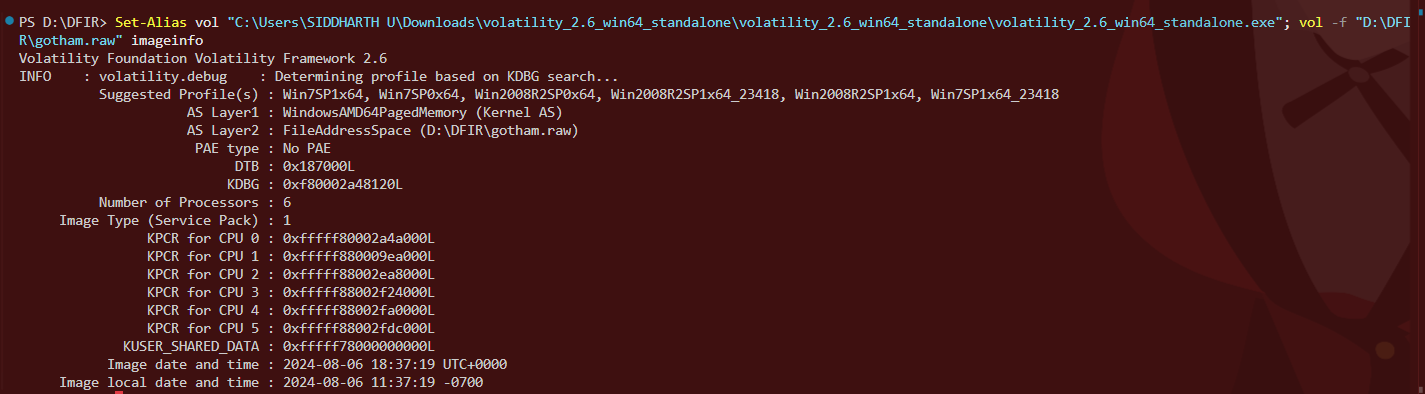
System Information
- OS Profile: Win7SP1x64
- Processors: 6 CPUs
- Image Date/Time: 2024-08-06 18:37:19 UTC
- Memory Size: 4.6 GB
Process Enumeration
Next, I ran pslist to observe active processes.
cmd.exe (PID 3944)
notepad.exe (PID 2592)
mspaint.exe (PID 2516)
multiple chrome.exe processes
Notable Processes
- cmd.exe (PID 3944): Command prompt activity
- notepad.exe (PID 2592): Notepad open
- mspaint.exe (PID 2516): Paint running
- Multiple chrome.exe: Browser activity
Command History
To check user activity, I ran cmdscan
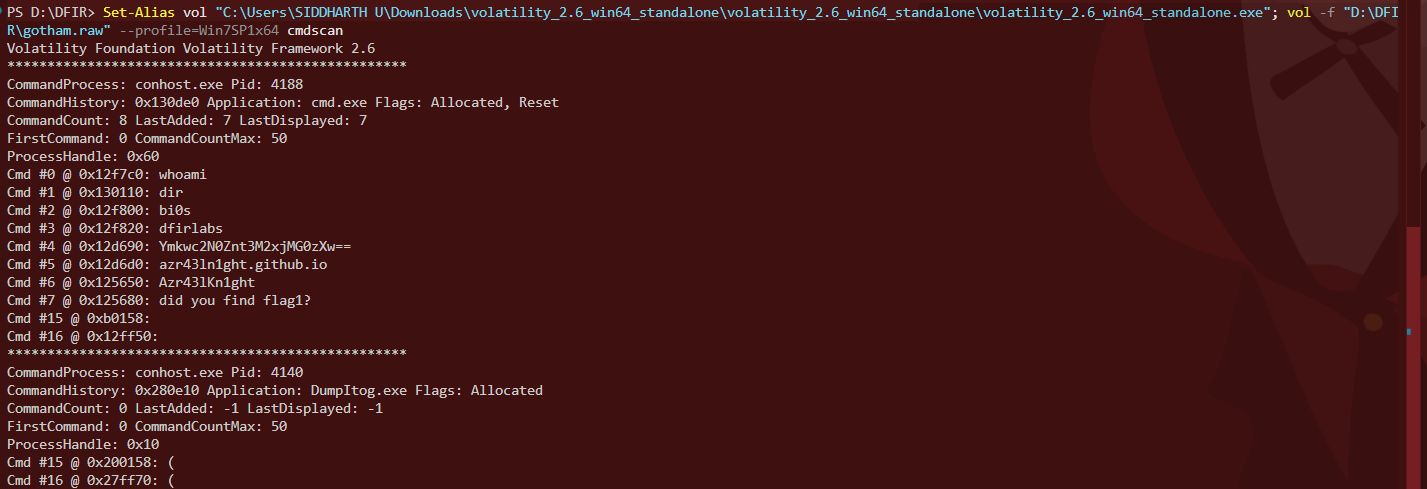
Cmd #4: Ymkwc2N0Znt3M2xjMG0zXw==
Cmd #5: azr43ln1ght.github.io
Cmd #6: Azr43lKn1ght
Cmd #7: did you find flag1?
The base64 string decodes to:
bi0sctf{w3lc0m3_Notepad & Memory Strings
Dumping Notepad directly failed due to Volatility version mismatch.
I dumped process memory and ran strings, which mostly yielded DLL data.
One extracted link led to the following page:
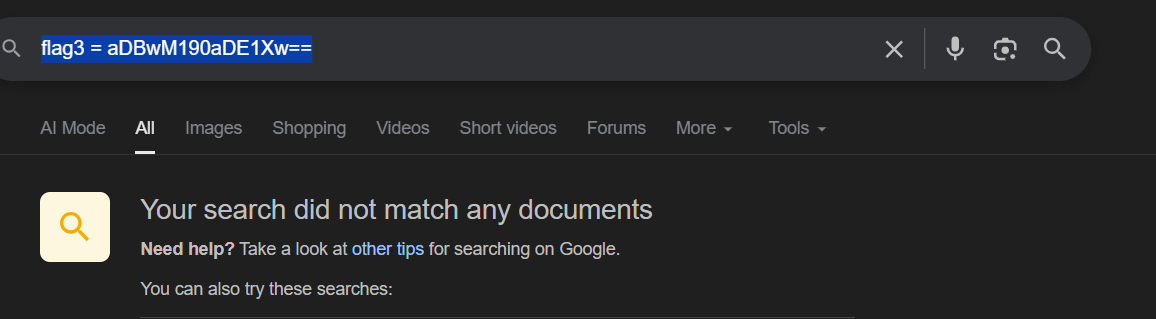
This contained another base64 string, decoding to:
h0p3_th15_File Extraction
From filescan, I noticed flag5.rar on the Desktop and dumped it:
vol -f gotham.raw --profile=Win7SP1x64 dumpfiles -Q 0x000000011fdaff20 --dump-dir=D:\DFIR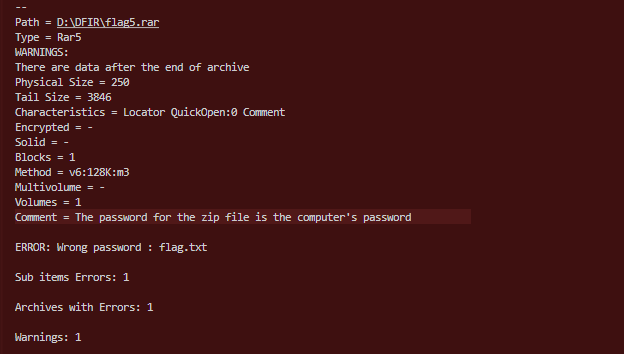
The archive was password-protected.
Credential Dump
Using hashdump:
bruce:1001:...:b7265f8cc4f00b58f413076ead262720:::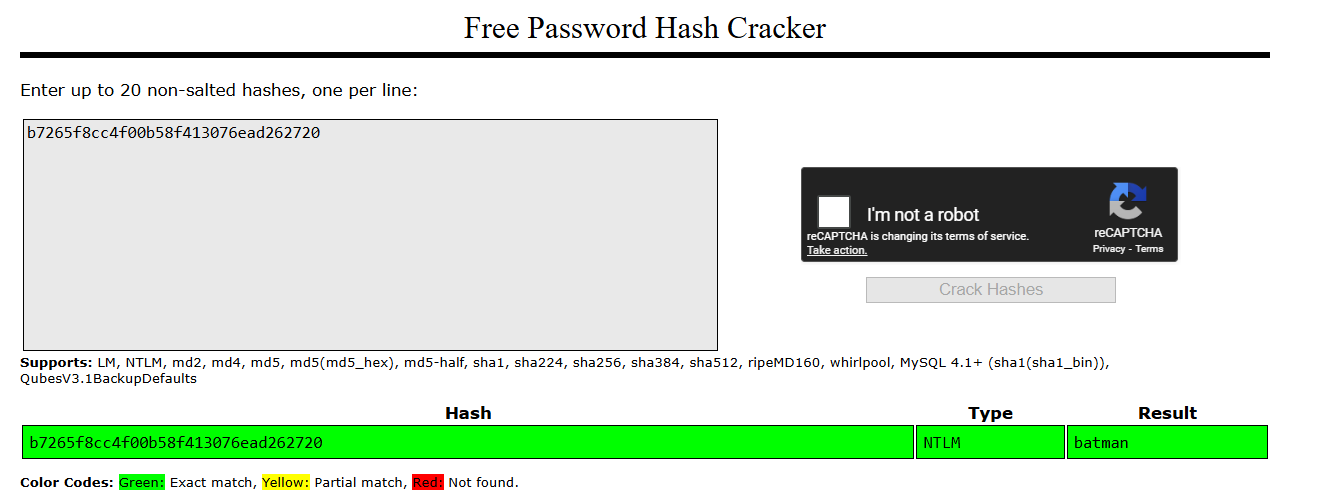
The password was batman.
Extracting the archive revealed another base64 string:

Decoded:
m0r3_13337431}Flag 4
Dumping Notepad with procdump showed a search for flag4. Running strings revealed:
YjNuM2YxNzVfeTB1Xw==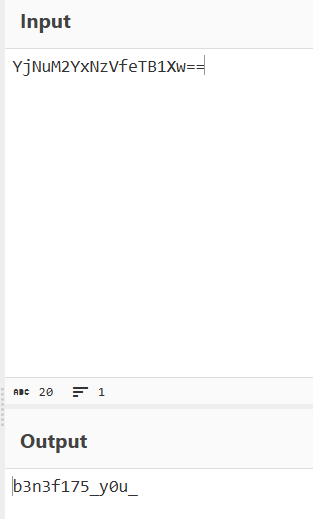
Flag 2 (MS Paint)
From pslist, mspaint.exe was active.
I dumped the process memory, renamed it to .data, and opened it in GIMP.
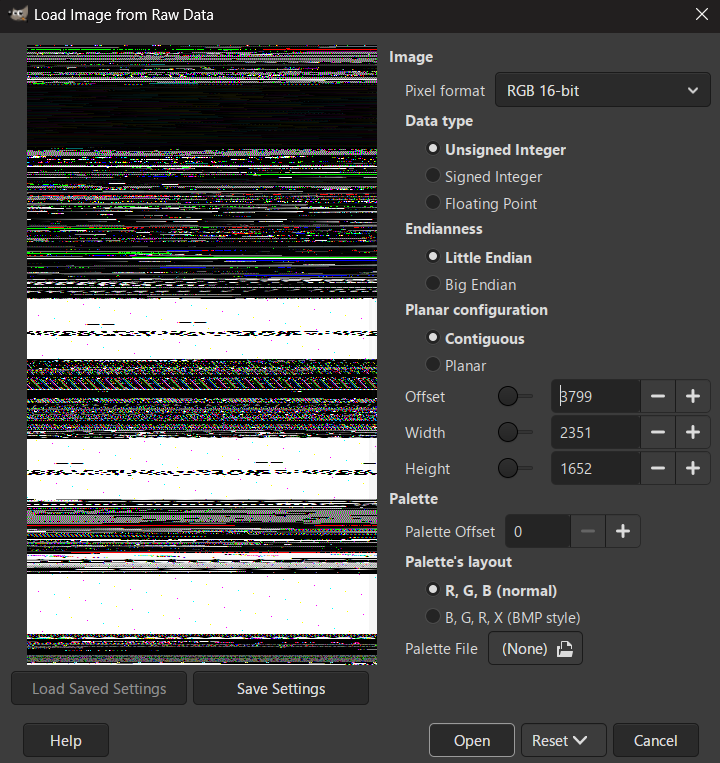
I referred a writeup for the MS Paint part; the offsets there were not correct so I had to adjust them manually.
I had to use Unsigned Integer because I was loading raw process memory, not a real image file. The pixel values in memory are stored as normal positive numbers, especially for RGB 16-bit, which expects values between 0 and 65535. When I tried signed or floating point, the same bytes were misinterpreted and the image completely fell apart into noise. Unsigned was the only option that kept the colors stable and readable. Since MSPaint stores its canvas as raw pixel data in memory without headers, I had to manually line everything up.
After inspecting and tweaking values for hours, I finally managed to align a base64 string in the image:
dDBfZGYxcl9sNGl1Xw==The data appeared flipped in the output, so I rotated and flipped the image to make the text readable.
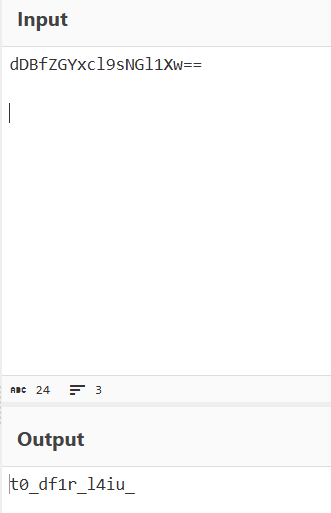
Decoding the base64 revealed the final combined flag:
bi0sctf{w3lc0m3_t0_df1r_l4b5_h0p3_th15_b3n3f175_y0u_m0r3_13337431}